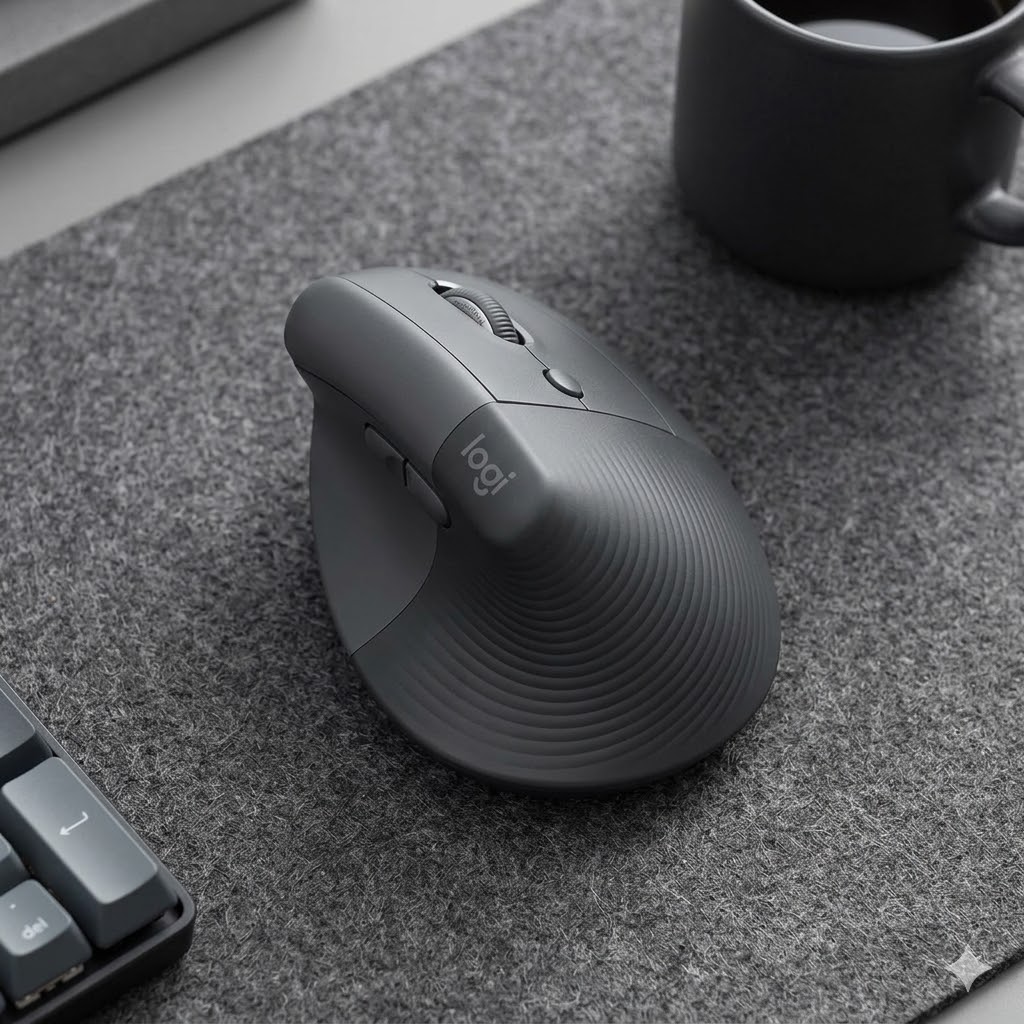
Do you feel a dull ache in your wrist after a long day at the office? You aren’t alone. Traditional mice force your forearm into an unnatural, twisted position that leads to fatigue and long-term strain. The Logitech MX Vertical is not just a peripheral; it is a scientifically-backed ergonomic solution designed to change the way you work forever. By combining high-end performance with a unique vertical design, Logitech has created the ultimate tool for comfort and productivity.
The 57° Degree Difference: Natural Handshake Position
The standout feature of the MX Vertical is its unique **57-degree vertical angle**. This specific angle places your hand in a “natural handshake position,” which reduces muscular strain by 10% compared to a standard mouse. This posture prevents the twisting of your forearm and minimizes the pressure on your wrist, allowing you to work for hours without the typical discomfort associated with heavy computer use.
Advanced Optical Tracking & Precision
Efficiency is at the core of the MX Vertical. It features a high-precision 4000 DPI sensor, which results in 4x less hand movement compared to a traditional mouse. By reducing the physical movement required to navigate your screen, you further decrease the chance of developing Repetitive Strain Injury (RSI). With a dedicated cursor speed switch, you can instantly adjust the DPI to match your task with the touch of a button.
Seamless Connectivity and Rapid Charging
Logitech understands that modern professionals work across multiple devices. The MX Vertical supports Logitech Flow, allowing you to control three computers and move text, images, and files between them seamlessly. You can connect via the included USB-C charging cable, Logitech Unifying Receiver, or Bluetooth.
- Fast Recharging: Stay powered for up to 4 months on a full charge. A quick one-minute charge gives you three hours of use.
- Textured Surface: The rubber grip ensures a solid, natural feel that is comfortable for any hand size.
- Customizable Buttons: Tailor the buttons to your specific workflow using the Logi Options+ software.
Frequently Asked Questions (FAQ)
How long does it take to get used to a vertical mouse?
Most users find that the transition takes anywhere from a few hours to a couple of days. Once your muscles adjust to the natural handshake position, going back to a flat mouse usually feels uncomfortable.
Is the Logitech MX Vertical good for gaming?
While it is primarily designed for office productivity and ergonomics, its 4000 DPI sensor is more than capable of handling casual gaming. However, for competitive eSports, a dedicated gaming mouse might be preferred.
Can I use this mouse while it is charging?
Yes! The MX Vertical charges via a USB-C port at the front. You can continue to use it as a wired mouse while it replenishes its battery.
Does it work with both Mac and Windows?
Absolutely. The MX Vertical is fully compatible with Windows, macOS, iPadOS, and even Linux, offering versatile connectivity options for any setup.
Conclusion: An Investment in Your Health
The Logitech MX Vertical is more than just a premium mouse; it is an investment in your long-term physical well-being. By reducing strain and increasing precision, it allows you to focus on what matters most—your work. If you spend more than 4 hours a day on a computer, your wrists will thank you for making the switch to vertical.